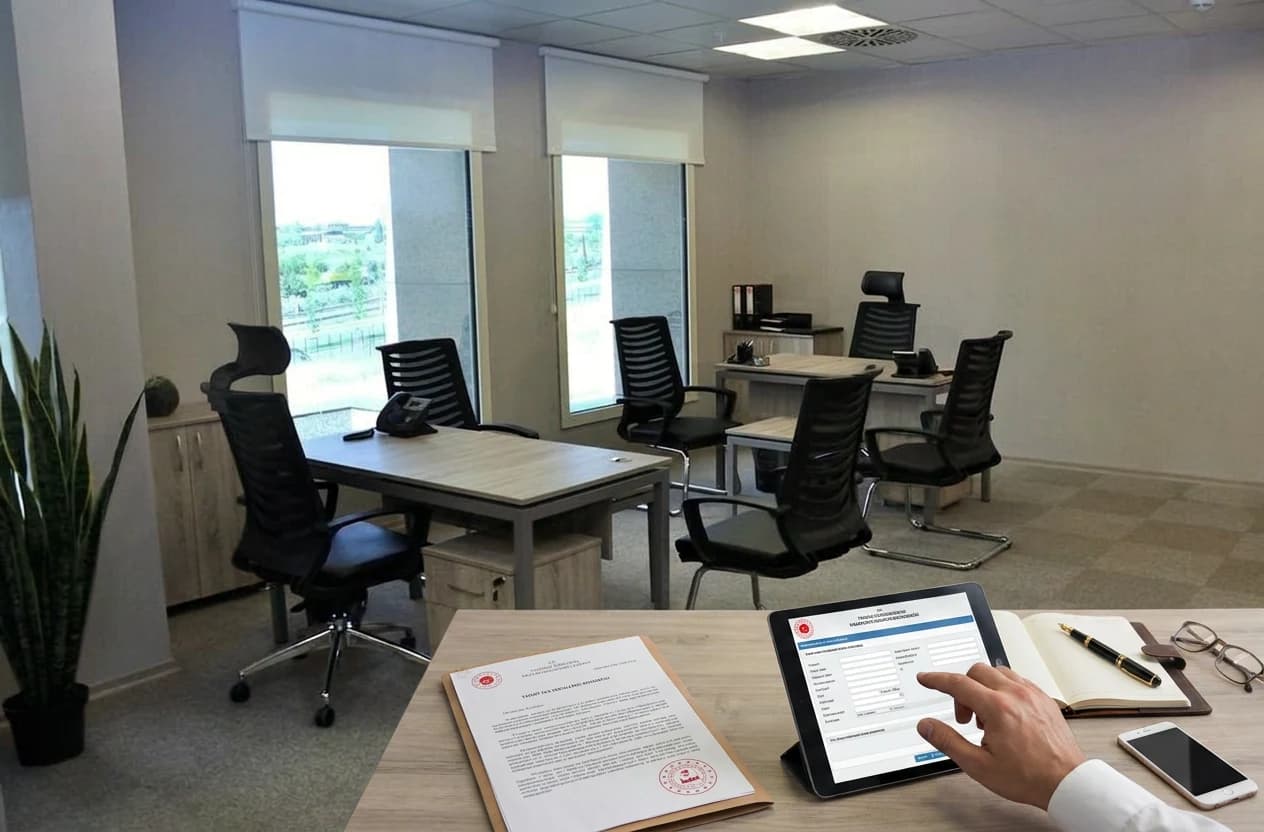
You have just registered your new company in Turkey, received your tax number, and one day someone knocks on your door: a tax office officer (vergi memuru). In their hand, a tablet; on the screen, an open yoklama fişi (tax inspection report). They will ask you to bring out a document, ask a few questions, and have you sign a written record. This procedure, conducted under Article 127 of Turkey's Tax Procedure Law (VUK, No. 213), is an on-site verification, not an audit - no reason for alarm, but no excuse for being unprepared either.
Every month, around 320 entrepreneurs in Turkey search for the term "yoklama fişi"; most are new business owners who don't know what to do when a tax officer shows up. This guide explains what a yoklama fişi is, when it will be issued, what documents you need, and whether tax inspections happen at virtual office addresses. As Micro Office, we have served 500+ businesses since 2008 at Tekstilkent Koza Plaza with legal address and serviced office solutions; we have participated in countless live tax inspections and have gathered field-tested knowledge.
If you arrived here from our virtual office service page or Istanbul company setup legal address guide, this article deepens specifically the "tax inspection" chapter.
What Is a Yoklama Fişi? The Document You Encounter at Company Opening
Yoklama fişi is the official written record of the on-site verification conducted by a tax office officer at the taxpayer's address. The officer visits your company, observes the workplace, asks questions, transcribes the answers into a written record, and has you sign the document. This record is issued under Article 131 of Turkey's Tax Procedure Law (VUK, No. 213), while the purpose of the inspection and the officer's powers are set out in Article 127 and electronic inspections in Article 132/A. The record serves to register the taxpayer's factual situation. A yoklama is not an audit - financial books are not reviewed and tax penalties are not issued. It only seeks to answer: "Is this company actually operating at this address, and do the declared details match?" Once signed, the record is registered in the Turkish Revenue Administration (GİB) system as an official document that you or your accountant can retrieve later. Three main types exist: classic paper-form yoklama fişi signed by hand, e-yoklama fişi signed digitally on a tablet, and special-purpose yoklama report for specific cases.
Three Yoklama Fişi Types
| Type | Format | Access |
|---|---|---|
| Classic yoklama fişi | Paper, handwritten signature | Officer provides copy |
| e-Yoklama fişi | Electronic tablet, digital signature | Internet Tax Office portal |
| Special-purpose yoklama | Case-specific written record | By invitation at the tax office |
The legal basis for e-yoklama was introduced in 2015: Article 132/A was added to the Tax Procedure Code by Law No. 6637, General Communique No. 453 was published on 20 June 2015, and the system went live on 1 September 2015. The officer captures your signature on the tablet, the record is transmitted to the Turkish Revenue Administration (GİB) system, and you can access it later via the Digital Tax Office portal.
What Is a Tax Office Inspection (Vergi Dairesi Yoklaması), and When Does It Happen?
A tax office inspection (vergi dairesi yoklaması) is the on-site verification visit conducted by tax authority officers at a taxpayer's workplace, residence, or any declared address. The three most common scenarios are:
- Opening inspection (işe başlama yoklaması): Conducted within 10 to 30 days after a new taxpayer registration, to verify the actual presence of the declared business address. This is most likely the first inspection a new entrepreneur encounters.
- Periodic inspection: Random or scheduled control visits by the tax office. Verifies the continuity of business activity.
- Special-purpose inspection: Triggered by address change, change of business activity, sector-wide control campaigns, denunciation, or court-related cases.
The officer can come without prior notice. For this reason, the safest approach for a newly registered entrepreneur is to be physically present at the address, or ensure an authorized representative is there, during the first 30 days. If the address is a virtual office service, knowing your provider's inspection-handling procedure is critical - we cover this in Section 6 below.
Transparency note: A yoklama is not an audit tool designed to issue tax penalties. A vergi incelemesi (tax audit) is a different, far more comprehensive process that involves examination of books and records. The yoklama only verifies factual circumstances.
e-Yoklama Fişi: Digital Process and Internet Tax Office Access
e-Yoklama fişi is the digital written record created by the tax officer on an electronic tablet during a field visit. This system, rolled out by GİB since 2014, has largely replaced paper-based yoklama. The officer collects the taxpayer's signature directly on the tablet screen; the record is instantly registered in the Turkish Revenue Administration servers, and the taxpayer later retrieves the document online. No paper printing is needed, no copy is delivered manually; the system creates a digital archive for the taxpayer. This saves time and eliminates the risk of losing the document.
Steps to Access Your e-Yoklama Fişi
- Log in to the Digital Tax Office portal using your e-Government identity verification.
- From the top menu, navigate to "Yoklama İşlemleri" (Inspection Operations).
- Click "e-Yoklama Fişi Görüntüleme" (View e-Inspection Report).
- Select a date range to list your past inspection records.
- Download as PDF and store in your archive (forward to your accountant).
Important: Only the taxpayer themselves or an authorized representative can access the e-yoklama fişi. If your accountant has formal authorization, they can act on your behalf. Your virtual office provider has no legal right to access the document directly, but should be at a service level where they inform you immediately when a record is issued.
What Questions Does the Tax Officer Ask During a Yoklama?
The questions asked by the tax officer during a yoklama follow a standardized framework. The officer does not ask personalized questions; they verify the consistency between the declared activity and the factual situation. The following 12-item list has been compiled from actual yoklama records:
- Are the taxpayer name, tax number, and trade title correct?
- Is the business address visible on a signboard?
- Does the actual activity match the declared activity? (e.g., if a software company is declared, are there computers inside)
- Does the number of employees match SGK (social security) declarations?
- Are you keeping books, and who is your accountant?
- Are there inconsistencies in the fixed-asset inventory? (e.g., if you declared large equipment, is it present)
- Do you meet customers face-to-face? (retail or B2B)
- Is a lease agreement or property deed / authorization document present?
- Are your website, social media accounts consistent with the activity declaration?
- Is your tax certificate (vergi levhası) available for inspection? (keeping and presenting it is mandatory; displaying it is not)
- Are the documents required for your tax type ready? (invoice book, dispatch note, retail sales receipt, etc.)
- Is your activity actually being conducted at this address?
The officer's authority is limited by Article 127 of VUK. A yoklama is not a full audit of your books and accounts, but the officer is not without powers: under Article 127 they may verify whether books that must be kept up to date are present at the workplace, whether they are certified and whether entries are made properly. Detailed examination of accounts, audio recording of conversations and opening office drawers fall outside yoklama authority. If they request such access, the process transitions from yoklama to tax audit (vergi incelemesi) procedure and requires a different authorization. The officer cannot conduct an inspection without showing their assignment document and identification; any inspection conducted in violation of this rule is legally invalid.
Yoklama Preparation: 7-Step Checklist for Company Opening
If you complete the following seven steps within the first 30 days of registering your company, you will face no issues during a yoklama. This list has been distilled from our 18 years of operations and 500+ client experiences:
- Install a signboard and address plate. The company name should be clearly readable at the building entrance, on the floor landing, or on the office door. This is the most frequently noted deficiency.
- Obtain the tax certificate (vergi levhası) and keep it available at your workplace. Since Law No. 6111 amended Article 5 of the Tax Procedure Code, there is no obligation to display it; the legal duty is to obtain it, keep it and present it on request.
- Keep physical evidence consistent with your declared activity. A software company should have computers, a consultancy should have a meeting space, an e-commerce business should have stock area or digital infrastructure.
- Have the lease agreement or authorization document accessible. Legal basis for your right to operate at the address.
- Prepare your first invoice or service contract document. Proves that activity has commenced.
- Keep your accountant's contact information at hand. The officer may ask you to call them during the inspection.
- Ensure a representative is present at the company address between 10:00-16:00. Critical for the first 30 days. If you cannot be physically present, your virtual office provider must be able to coordinate with the officer.
Yoklama Readiness Quiz
The interactive test below evaluates whether you are prepared for a tax inspection through 5 questions. You will see your preparation score and any gaps at the end.
This quiz runs entirely in your browser; no data is saved or transmitted. Results are shown only to you.
1. Is a signboard or door plate visible at your company address?
Does Yoklama Happen at a Virtual Office Address?
Yes, yoklama inspections occur and are conducted at virtual office addresses. A virtual office is the legal use of a real physical address as a company headquarters; legally, it holds the same status as a traditional physical office. There is no procedure where the tax officer "realizes it's a virtual office and turns back." The officer arrives, contacts you or your authorized representative as the taxpayer; signboard, tax certificate, and address verification are performed. The key point is that your virtual office provider must know the yoklama procedure and effectively bridge between the officer and the taxpayer. The presence of your company name on the door, real-time reception accessibility, and your accountant's availability by phone when needed make the yoklama process smooth. In our 18 years of operations, the vast majority of Micro Office virtual office clients complete the yoklama process smoothly; the secret is that the subscribing company name appears on the door plate and that the reception's instant-call system functions reliably.
5 Critical Points for Yoklama at a Virtual Office
- Signboard: Your company name must be visible at the address. This is standard at Micro Office.
- Call system: When the officer is greeted at reception, the receptionist must call you on the phone and convey the situation.
- Accountant line: Your accountant must be reachable by phone during the inspection.
- Contract access: Keep a copy of your virtual office service agreement.
- Mail and notification log: Your provider's mail management records support the consistency of operations.
Working with providers who do not address these five points is risky. Micro Office virtual office packages include all five services as standard; pricing details are available on our pricing page.
After the Yoklama: Report, Objection, and Correction Process
When the inspection is complete, the officer signs the record with you or has you sign electronically. This record is registered in the GİB system as an official document. You are not obliged to sign the record. You may state your reason for refusing within the document. Under Article 131 of the Tax Procedure Code, however, a refusal is noted on the record and the record is then signed by a police officer, gendarme, neighbourhood headman (muhtar) or a member of the council of elders; this signature is not required where the record is drawn up electronically with location data and photographs. The record therefore does not remain unsigned, and your objection is registered separately.
Yoklama Report Objection Process
- Always request a copy of the record (download from the system if e-yoklama).
- If there are inaccurate findings, file an objection within 30 days at your tax office directorate.
- In your petition, specify the incorrect finding, the correct information, and supporting documents (photo, contract, invoice).
- If the tax office does not respond within 30 days, your request is deemed rejected (Administrative Procedure Code Art. 10/2). Within that period the office may order a re-inspection or an administrative correction, but silence produces an implied rejection and starts your litigation deadline.
- If you are not satisfied with the outcome, you have the right to file a lawsuit at the tax court within 30 days.
The most common mistake during the objection process is filing the petition late. The 30-day periods are forfeiture periods, and missing them costs you the right to object and to litigate. They extend in only two cases: where the final day falls on a public holiday, the deadline runs until the end of the following working day; and where the period expires during the judicial recess, it is extended by seven days (Administrative Procedure Code Art. 8). Contact your accountant immediately.
Caution: If the yoklama record indicates that the business address has been incorrectly identified or that the company is not operating, this can lead to ex officio cancellation of taxpayer registration. In such cases, strictly observe the 30-day objection deadline.
Frequently Asked Questions
Can the tax officer come without notice?
Yes. A yoklama can be conducted without prior notice; the tax officer is not required to make an appointment. For this reason, the safest approach during the first 30 days after company registration is to be physically present at the address or ensure that an authorized representative is there.
Am I required to sign the yoklama fişi?
No. You are not obligated to sign the record. You may state your reason for not signing within the document. However, an unsigned record is also legally valid; your objection is recorded separately. It is recommended to read the record carefully before signing.
How can I download my e-yoklama fişi?
You can log in to the Internet Tax Office portal using e-Government identity verification, navigate to "Yoklama İşlemleri > e-Yoklama Fişi Görüntüleme," and download as PDF. Only the taxpayer or an authorized accountant can access it.
Will yoklama happen at my virtual office address?
Yes. A virtual office is legally equivalent to a physical office; inspections are conducted, and your provider is expected to properly bridge between the officer and the taxpayer. With providers offering signboard, call system, and accountant coordination, the inspection is completed smoothly.
What happens if I am not at the address during the yoklama?
The officer may call you on the phone or issue the record with the note "taxpayer could not be reached" and leave. In this case, the officer may return within 7-15 days, or you may be officially summoned to appear at the tax office. Persistent absence at the address can lead to ex officio cancellation of taxpayer registration.
Are tax penalties issued during a yoklama?
Not directly. A yoklama is a verification process and does not carry penalty authority. However, if the officer's report is forwarded to the tax inspection unit, a subsequent tax audit may begin, and penalties may be issued at that stage. Being prepared at the yoklama prevents this chain from starting.
What happens if my tax certificate is not displayed?
It is recorded in the yoklama report and may result in an administrative fine. Since Law No. 6111 removed the obligation to display the certificate, the fine does not attach to failing to hang it; the duty that carries a special irregularity fine under Article 353/4 of the Tax Procedure Code is failing to obtain, keep or present it. The applicable amount is revalued each year, so check the GİB site for the current figure. A printed digital copy is accepted.
What should I do if my business activity is incorrectly identified?
This is a high-risk finding; it can be interpreted as "discrepancy between declared and actual situation." File a correction petition within 30 days, providing evidence of your business activity (contract, invoice, website content, social media accounts). Coordinate with your accountant immediately.
Conclusion: Being Ready for Yoklama Is the Silent Step of Company Opening
Yoklama is an invisible yet critical stage of the company opening process. With proper preparation, it ends as a 15-minute visit; without preparation, it can escalate into a tax audit later. The three reminders below are the most common mistakes we have encountered in 18 years of operations:
- Missing signboard and tax certificate are the two most frequently identified items - never overlook them on opening day.
- Address monitoring during the first 30 days is critical; if you use a virtual office, ensure your provider knows the yoklama procedure.
- Read the record carefully before signing, and if there are incorrect findings, file an objection petition within 30 days.
For new company setup, legal address, mail management, and yoklama coordination, you may consider Micro Office's virtual office packages. Since 2008, we have served 500+ businesses at Tekstilkent Koza Plaza; signboard, call system, and accountant coordination are standard services. You can begin evaluation right away through our virtual office service details, pricing table, or application form.
For other phases of the company opening process, our Istanbul company setup legal address guide and Esenler virtual office prices articles are complementary resources.